## The Problem
Markdown Viewer for Mac
macOS has no built-in way to preview .md files. Quick Look shows raw text. TextEdit ignores the formatting. You deserve better.
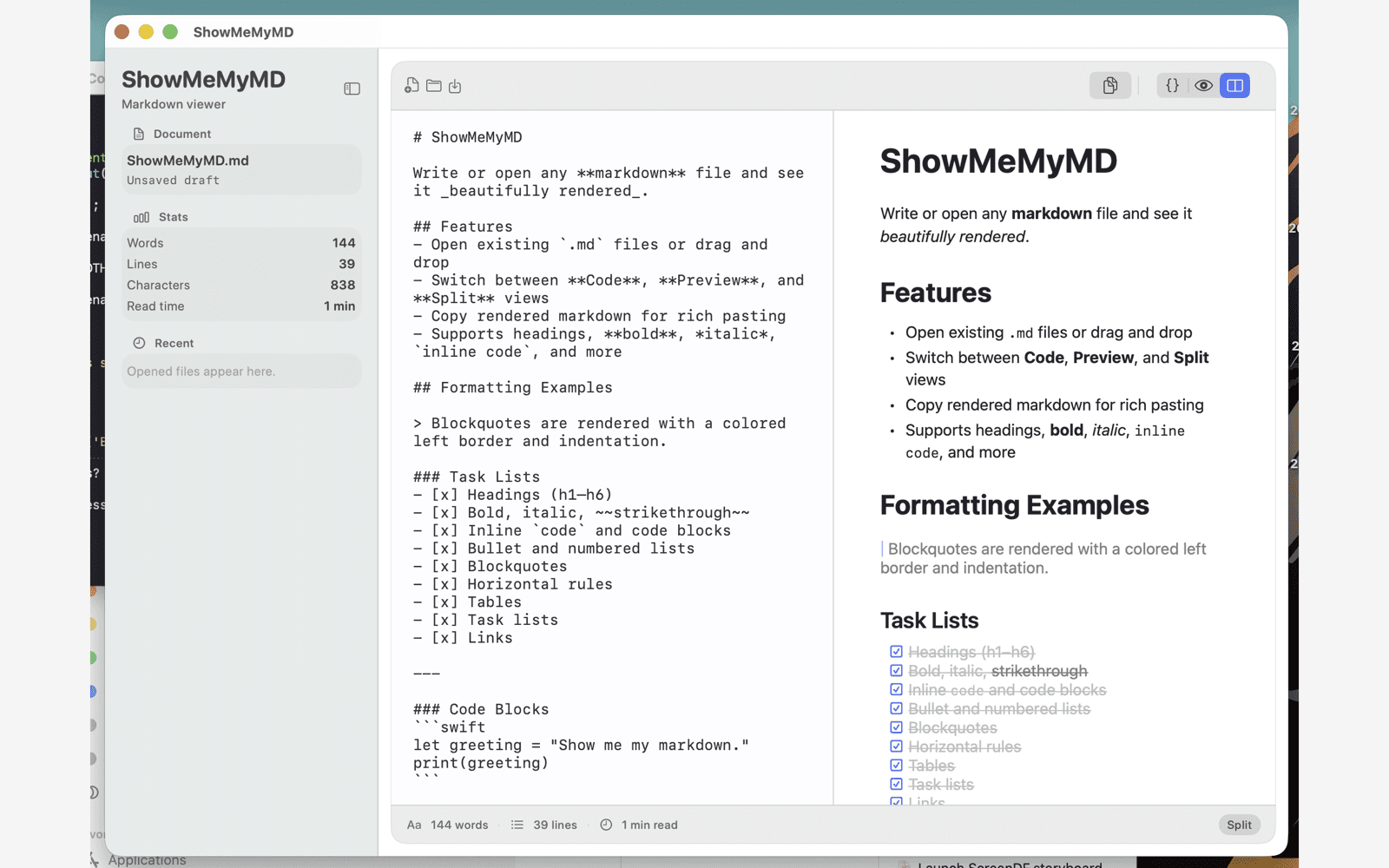
ShowMeMyMD is a native macOS Markdown viewer that opens any .md file and renders it beautifully — instantly. Built with SwiftUI. No Electron. No subscriptions.
## Features
Everything you need to read and write Markdown
No bloated editor. No project setup. Just your Markdown, rendered the way it should be.
01
Three Viewing Modes
Code mode for editing, Preview mode for reading, and Split mode for both at once — with synchronized scrolling between panes.
02
Copy Rich Text
One click copies your rendered Markdown as rich text. Paste directly into Gmail, Google Docs, Notion, Slack, or any app that accepts formatted text.
03
Syntax Highlighting
Over 20 languages highlighted in fenced code blocks. Your READMEs, docs, and tutorials look exactly as they should.
04
Themes
Four themes — System, Sepia, Nord, and Solarized — with automatic dark and light modes that follow your Mac’s appearance settings.
TOC
Table of Contents
123
Word, Line & Char Counts
~3m
Read Time Estimate
GH
GitHub-Style Callouts
## FAQ
Frequently Asked Questions
Does it work on Apple Silicon?
Yes. ShowMeMyMD is built with native SwiftUI and runs natively on Apple Silicon Macs — no Rosetta required. It launches instantly and uses minimal resources.
Does it support GitHub Flavored Markdown?
Yes — tables, task lists, fenced code blocks, and GitHub-style callouts (note, tip, important, warning, caution) are all fully supported.
Can I edit markdown too?
Yes. ShowMeMyMD includes Code mode for focused editing and Split mode that shows your source and rendered preview side by side with synchronized scrolling.
How do I set it as my default .md app?
Right-click any .md file in Finder, select Get Info, click the Open With dropdown, choose ShowMeMyMD, then click Change All. Every .md file will now open in ShowMeMyMD.
The Markdown viewer Mac has been missing
One-time purchase. No subscription. No account. No telemetry.
Download on theMac App Store$2.99 · macOS 14+